
Product Update: A Calendar That Works the Way You Plan
Most of a working day gets decided on a calendar. We run Spotbookr on Spotbookr, so we use this calendar every day too, and it was doing its job while asking for too many steps. This update rebuilds Scheduling's calendar around how people actually plan: click a time, say when it starts and ends, and move things by dragging them.
What Is New
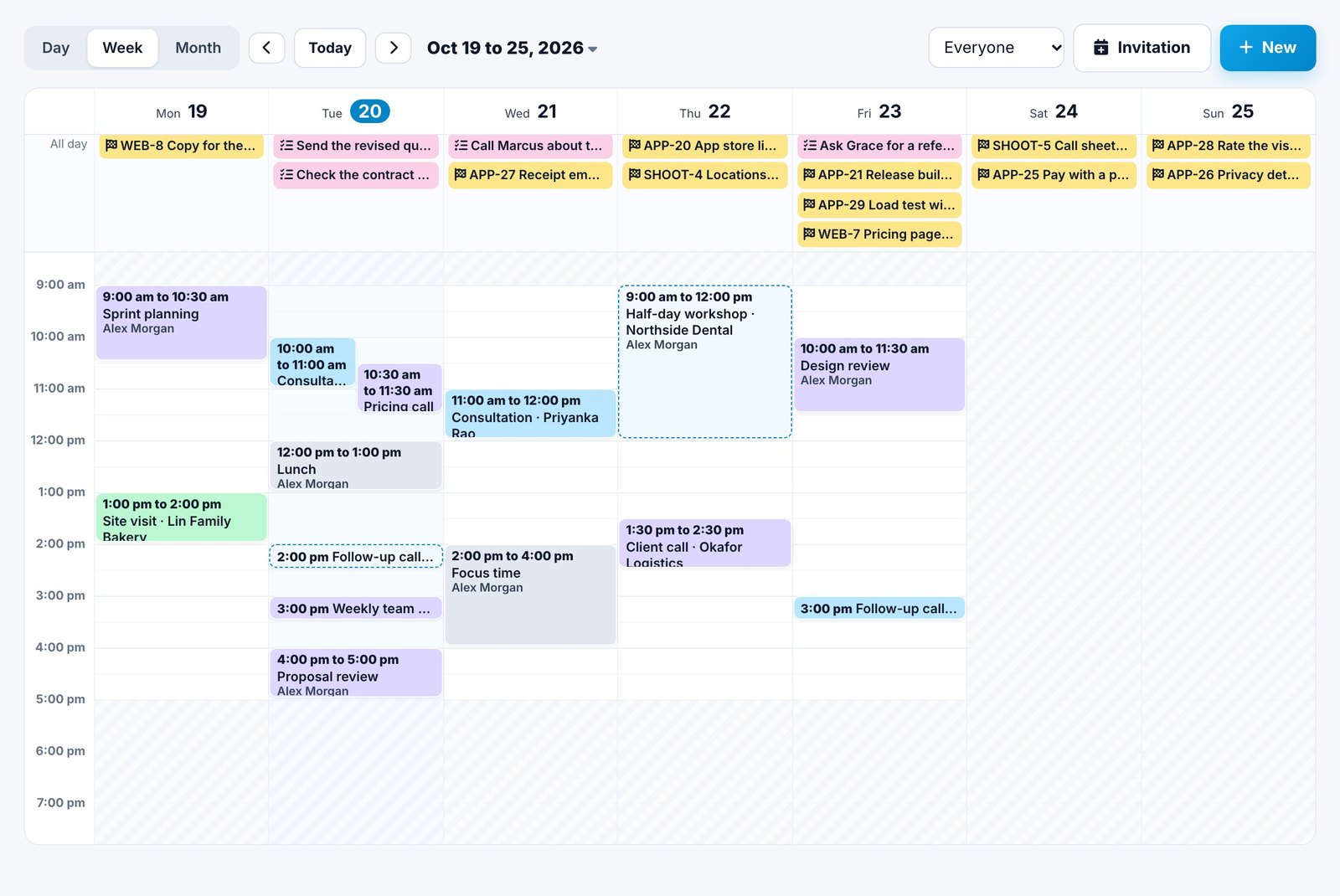
- A real week and day. Day and week are now a time grid. Everything sits at its real time and is drawn as long as it lasts, meetings that overlap sit side by side, your working hours are shaded, and a line marks the current time. Project work and CRM tasks that fall due sit in a strip at the top.
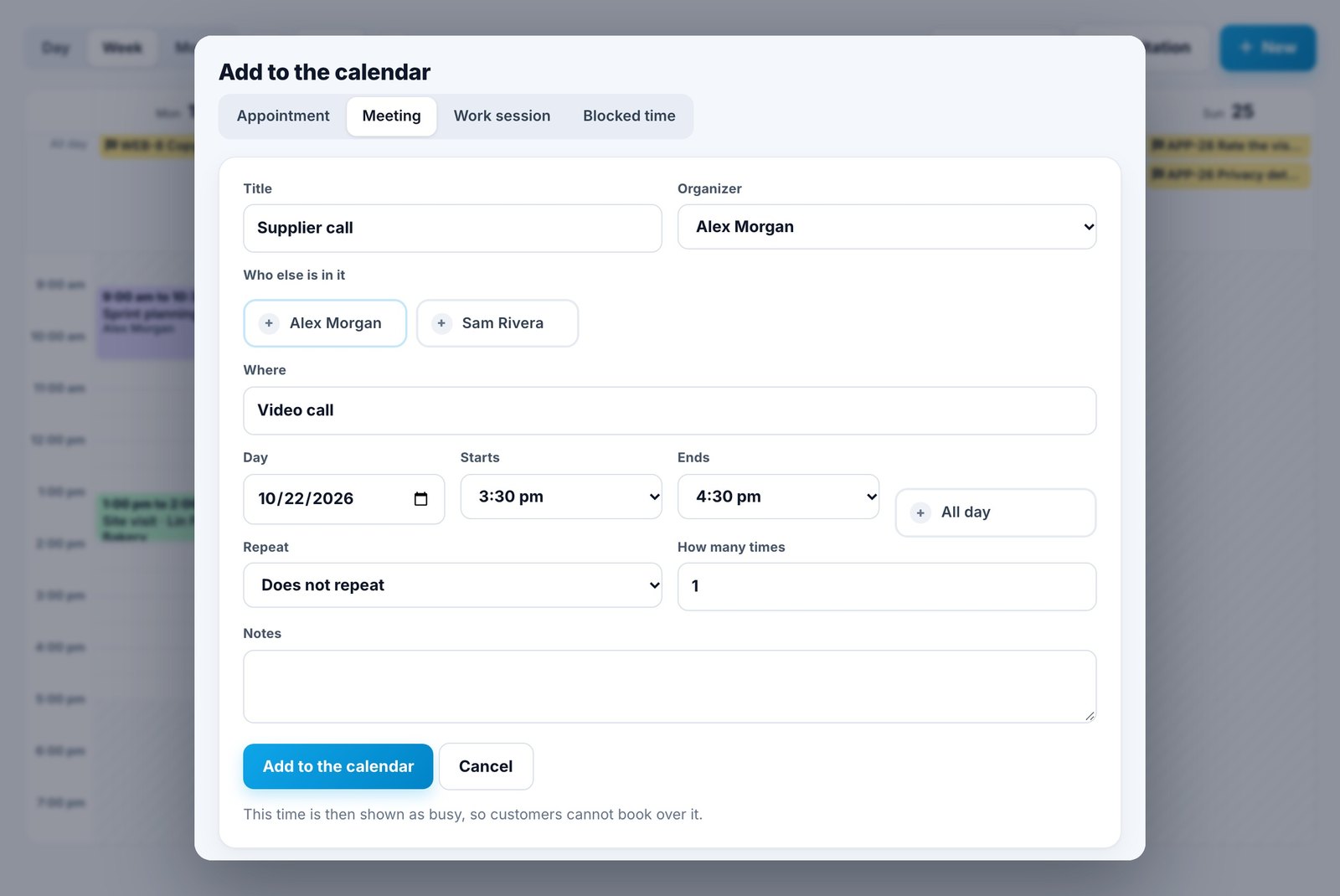
- Click a time to add it. Click an empty time and the form opens right there, over the calendar, with that day, time and person already chosen. Switching between an appointment, a meeting, a work session and blocked time keeps them.
- Start and end times. Meetings, work sessions and blocked time now have a start and an end instead of a length. Move the start and the end moves with it, or tick All day. Appointments show when they will end.
Changing Plans
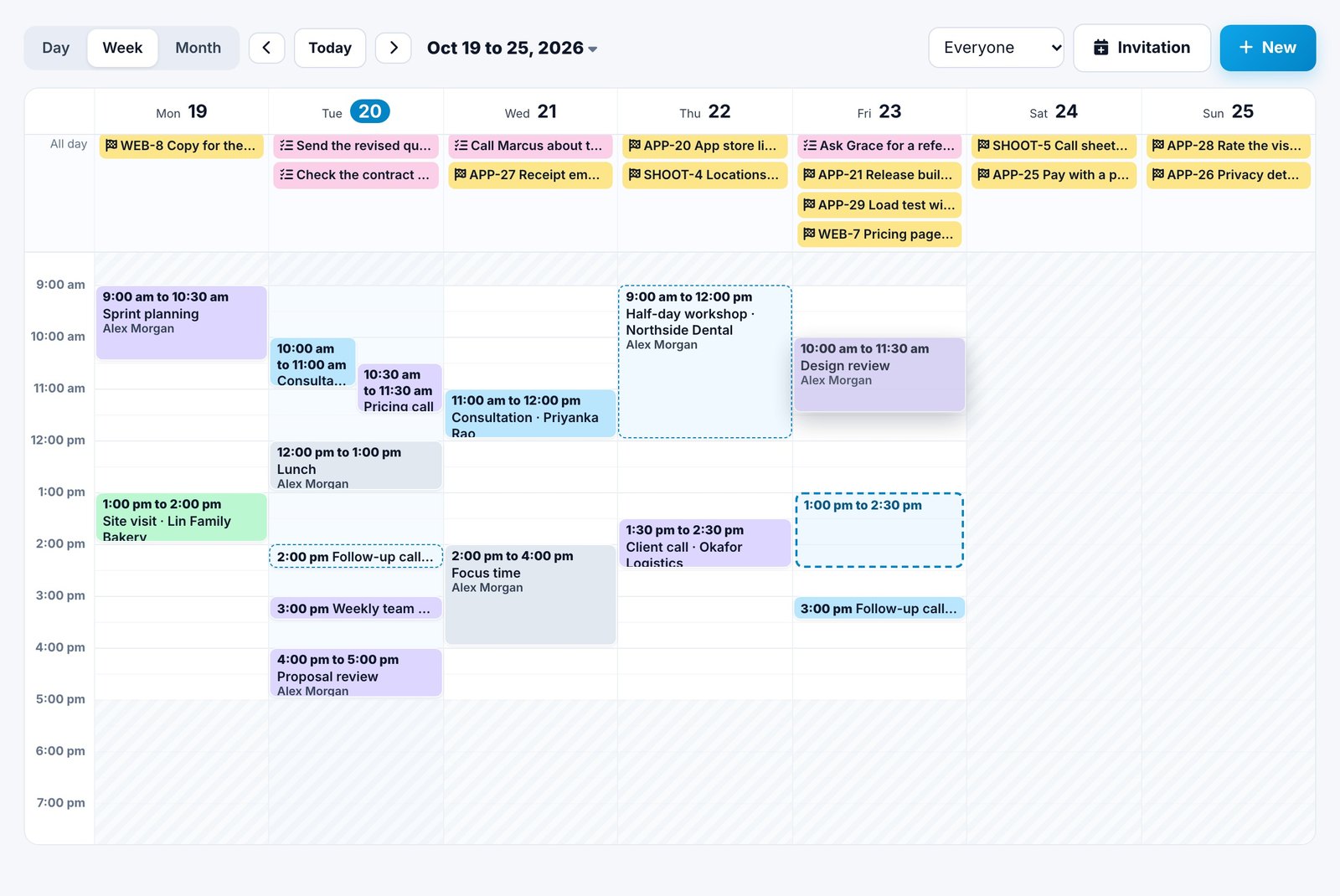
- Drag to move. Drag an entry to another time or day, or drag its bottom edge to change when it ends. A message offers Undo.
- Appointments keep their rules. A dragged appointment keeps its service's length. If the person is not free at the new time, it goes to a colleague who is, and the customer is told about the new time by email.
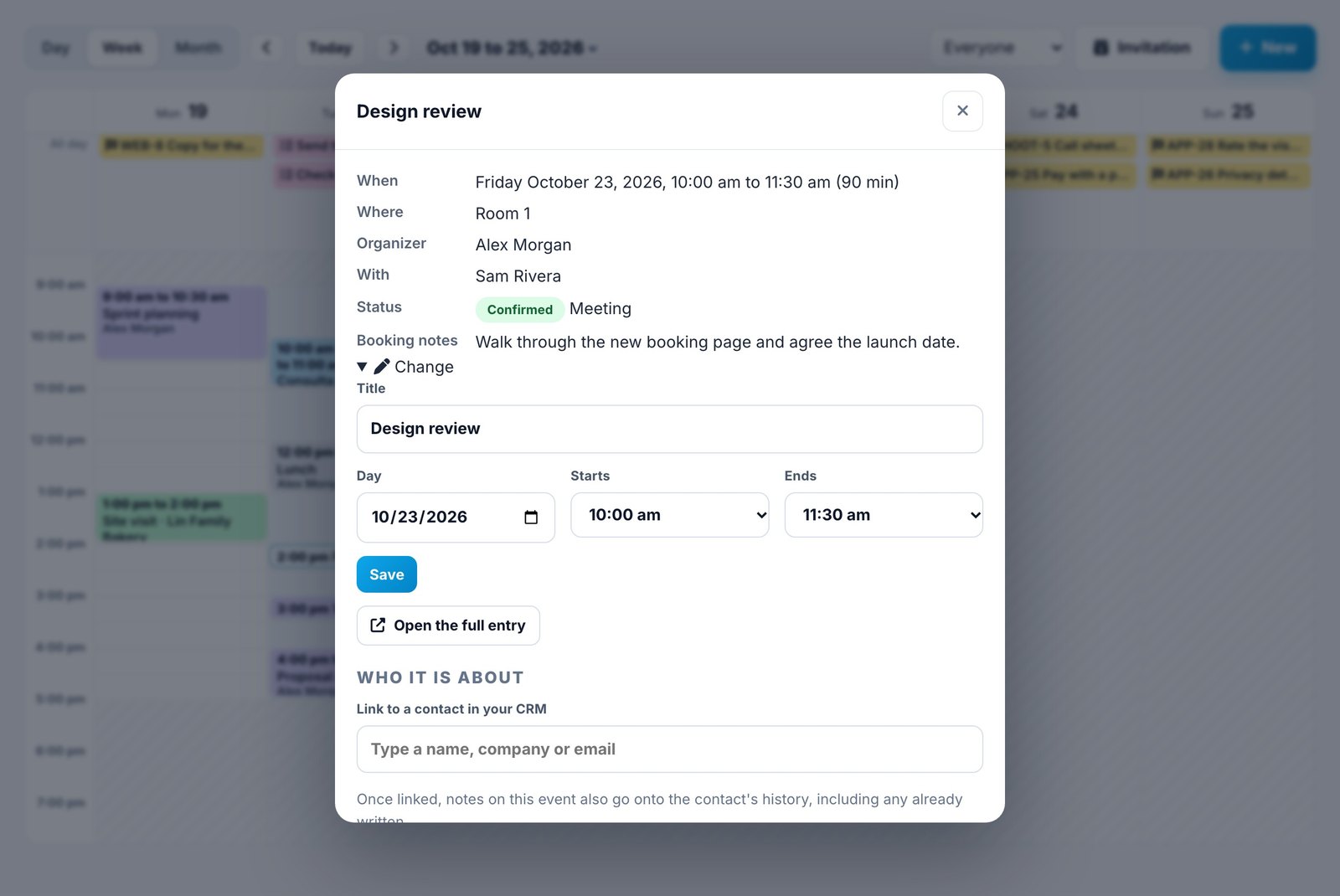
- Change it in place. Click any entry to see who organized it and who else is in it. Under Change you can rename it, or change its day and times, without leaving the calendar.
Your Own Time Zone
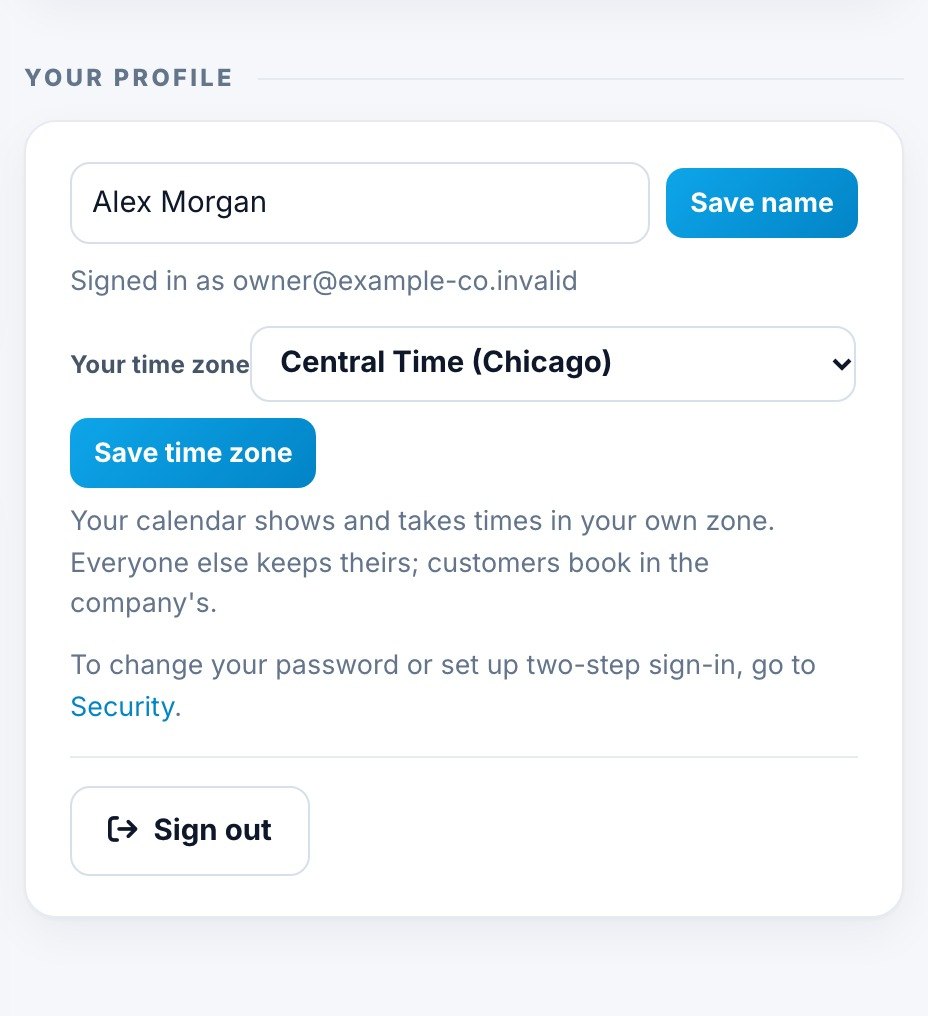
Teams are not always in one place. Each person can now set their own time zone under Account, Your profile, and the calendar shows and takes times in it. A 10:00 am meeting in New York shows at 9:00 am to someone in Chicago, and both are looking at the same meeting.
Customers keep booking in the company's time zone. If a company changes its time zone, every entry keeps its real time.
Getting Around
- The calendar opens where you left it.
- Click the date at the top to jump to any day.
- Keys: T for today, the arrows for earlier and later, D, W and M for day, week and month, and N to add.
- On a phone, the week shows as a list by day.
Everything here is live in Spotbookr Business Scheduling, and in the live demo with sample data. The Help Center article The calendar has the details.
More improvements are coming soon.