
Product Update: Connect Your Outlook or Google Calendar
Your day already lives in a calendar. Starting today, Spotbookr Scheduling can work with it instead of beside it.
What Is New
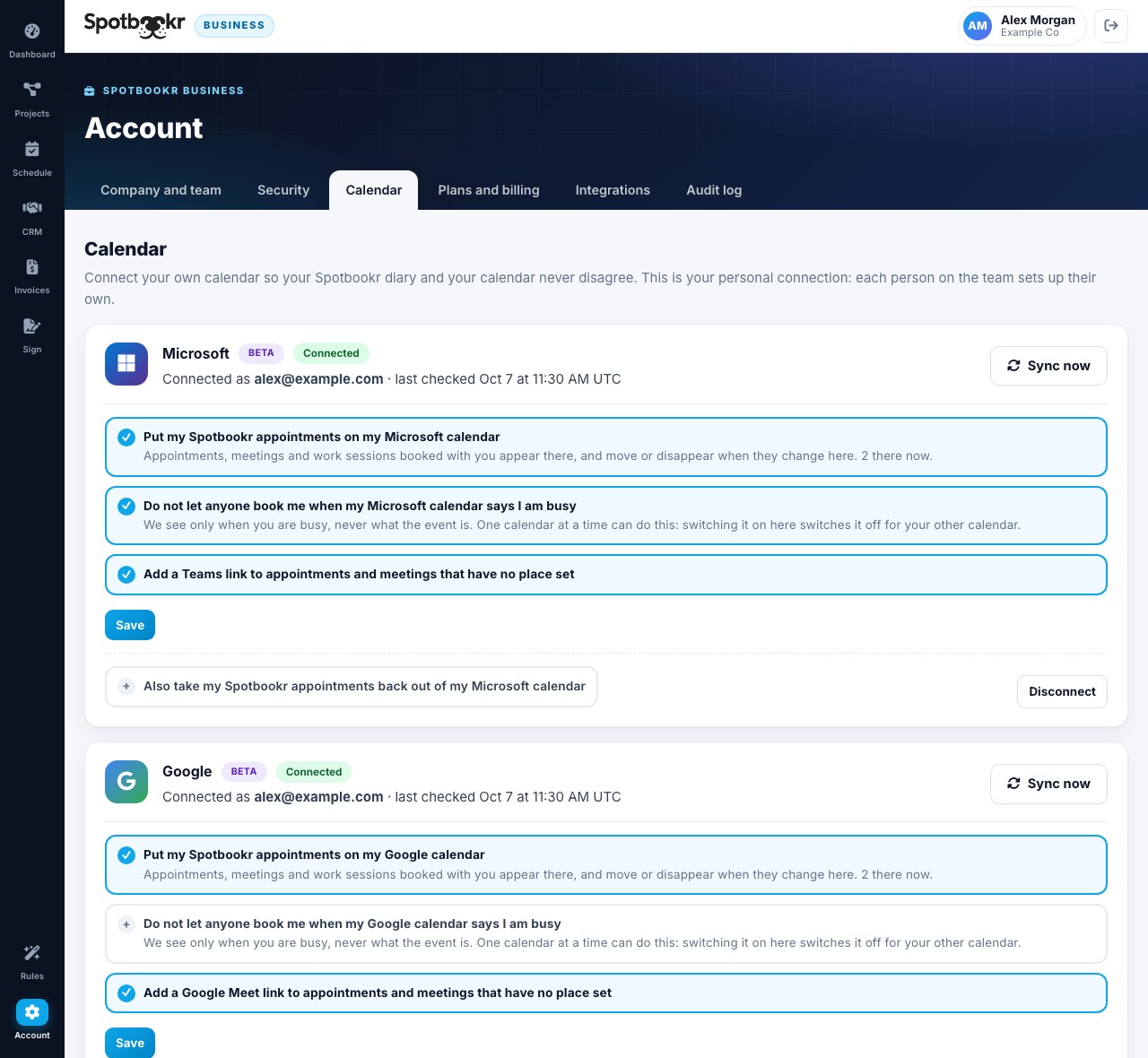
Each person on your team can now connect their own calendar under Account, Calendar:
- Microsoft Outlook and Microsoft 365. Work, school and personal Outlook.com accounts.
- Google Calendar. Available in beta while Google completes its review of the connection.
It takes one click and a sign-in with Microsoft or Google. There is nothing to install.
What It Does
- Your appointments appear on your calendar. Appointments, meetings and work sessions booked with you in Spotbookr are added to your own calendar. Move one in Spotbookr and it moves there. Cancel it and it is removed.
- No more double-booking. When your calendar shows you as busy, that time is not offered on your online booking page.
- A video link when you want one. Meetings with no place set can get a Microsoft Teams or Google Meet link automatically. Teams links need a work or school account that has Teams.
What We See, and What We Do Not
We built this to ask for as little as possible.
- For busy times, we ask only for the start and end of each busy period. We do not ask for event titles, descriptions, guests or locations.
- We only create, change and remove the events that Spotbookr itself put on your calendar.
- We do not access your email.
- Each connection is personal. Connecting your calendar does not give your teammates or your company's owner access to it.
- You can disconnect at any time, and choose to have the events Spotbookr added taken back out.
The full details are in our Privacy Policy.
A Note on the Beta Labels
- Google shows a "Beta" label because Google's own review of new calendar connections takes several weeks. Until it finishes, Google shows an extra notice when you connect, and you choose Advanced to continue. The connection itself works today.
- Microsoft shows a "Beta" label for now as well. If you use a work account, your organization may ask an administrator to approve Spotbookr Business the first time.
How to Turn It On
- Open Account, then Calendar.
- Press Connect Microsoft or Connect Google and sign in.
- Choose what you want: appointments on your calendar, busy times blocked, and video links.
If you use a calendar we do not connect to yet, such as Apple Calendar, the private calendar feed under Scheduling, Setup still lets you see your Spotbookr diary there.
More improvements are coming soon.