
Do I Need a CRM, or Is a Spreadsheet Enough?
A spreadsheet is enough while one person keeps track of a few dozen customers and nothing depends on remembering to follow up. You need a CRM when leads start slipping through, more than one person works from the same list, or you cannot answer "what is the next step with this customer?" without digging.
Signs you have outgrown the spreadsheet
- A lead asked for a quote and nobody followed up.
- Two people have different versions of the same list.
- You keep notes about calls in your email, your phone and the spreadsheet.
- You cannot say how much is in the pipeline this month, or where your best customers came from.
- Someone leaves, and their customer history leaves with them.
What a CRM adds
- One record per customer with every call, email note, deal and task in one place.
- Deals in stages, so you see what is close to closing and what is stuck.
- Tasks with due dates and reminders, so follow-ups happen.
- Reports that come from the records themselves, not from someone updating a sheet.
What a CRM looks like in different businesses
- Trades and home services: each enquiry becomes a contact and a deal ("Kitchen refit, $18,000"), with a site visit, an estimate and a follow-up task. You see at a glance which quotes are waiting for an answer.
- Agencies and consultants: deals move through proposal and negotiation; notes from every call sit on the contact, so anyone on the team can pick up a conversation.
- Clinics, salons and studios: the CRM is mostly a customer list with history: visits, preferences and when they were last in. Bookings add to it automatically.
- B2B sellers: companies with several contacts each, longer sales cycles, and a forecast that needs to be reliable.
Moving from a spreadsheet: a checklist
- Clean the sheet first. One row per person, consistent column names, no merged cells.
- Split names into first and last if you can; keep emails in their own column.
- Add a "source" column if you know where people came from. It is the most valuable column you will ever add.
- Decide your statuses, such as Lead, Prospect, Customer, Inactive, and fill them in.
- Import a small test file of ten rows first, check it, then import the rest.
- Retire the spreadsheet once the import is checked. Keeping both alive is how the two-versions problem comes back.
Common mistakes
- Importing everything without cleaning it, then never trusting the data.
- Too many custom fields on day one. Start with what you use; add fields when you miss them.
- No owner per contact. If nobody owns a lead, nobody follows it up.
- Using the CRM only as an address book. The value is in tasks, deals and history, not the list.
Your first week with a CRM
- Day 1: import your contacts, then your companies and any open deals.
- Day 2: set your deal stages and the chance of winning at each.
- Day 3: go through open deals and give each one a next step and a date.
- Day 4: connect your website enquiry form, so new leads arrive on their own.
- Day 5: agree two habits with the team: log every call or meeting in a sentence, and never leave a deal without a next step.
By the end of the week, the CRM holds what used to be in the spreadsheet, your inbox and your head, and Monday's pipeline review takes ten minutes instead of an hour of asking around.
Who should own the CRM?
Even in a small team, one person should own how the CRM is set up: stages, fields, who sees what. Everyone owns their own contacts and deals. Without an owner, fields multiply and the data slowly becomes untrustworthy.
A worked example
A small landscaping company tracks enquiries in a shared spreadsheet. In spring, enquiries triple. Two people reply to the same customer; three others never hear back, and one of them was a large commercial job.
They export the sheet, clean it, and import it into a CRM. Every enquiry from the website now arrives as a contact with a deal and a task to reply the same day. The owner sees the pipeline each Monday: 14 open estimates worth $62,000, four waiting more than a week for an answer. Those four get a follow-up call; two are won.
The spreadsheet did not fail because it was a spreadsheet. It failed when three people and three times the enquiries depended on it.
Quick checklist
- One place for every customer and lead
- Every lead has an owner
- Every open deal has a next step and a date
- Where each lead came from is recorded
- Follow-ups appear as tasks, not memories
- You can see the whole pipeline in under a minute
Key terms
- CRM: customer relationship management: software that keeps customers, conversations, deals and follow-ups in one place.
- Lead: a person or company that might buy from you.
- Deal: a specific sales opportunity with a value, a stage and a next step.
- Pipeline: all open deals, arranged by the stage they have reached.
How to switch without retyping anything
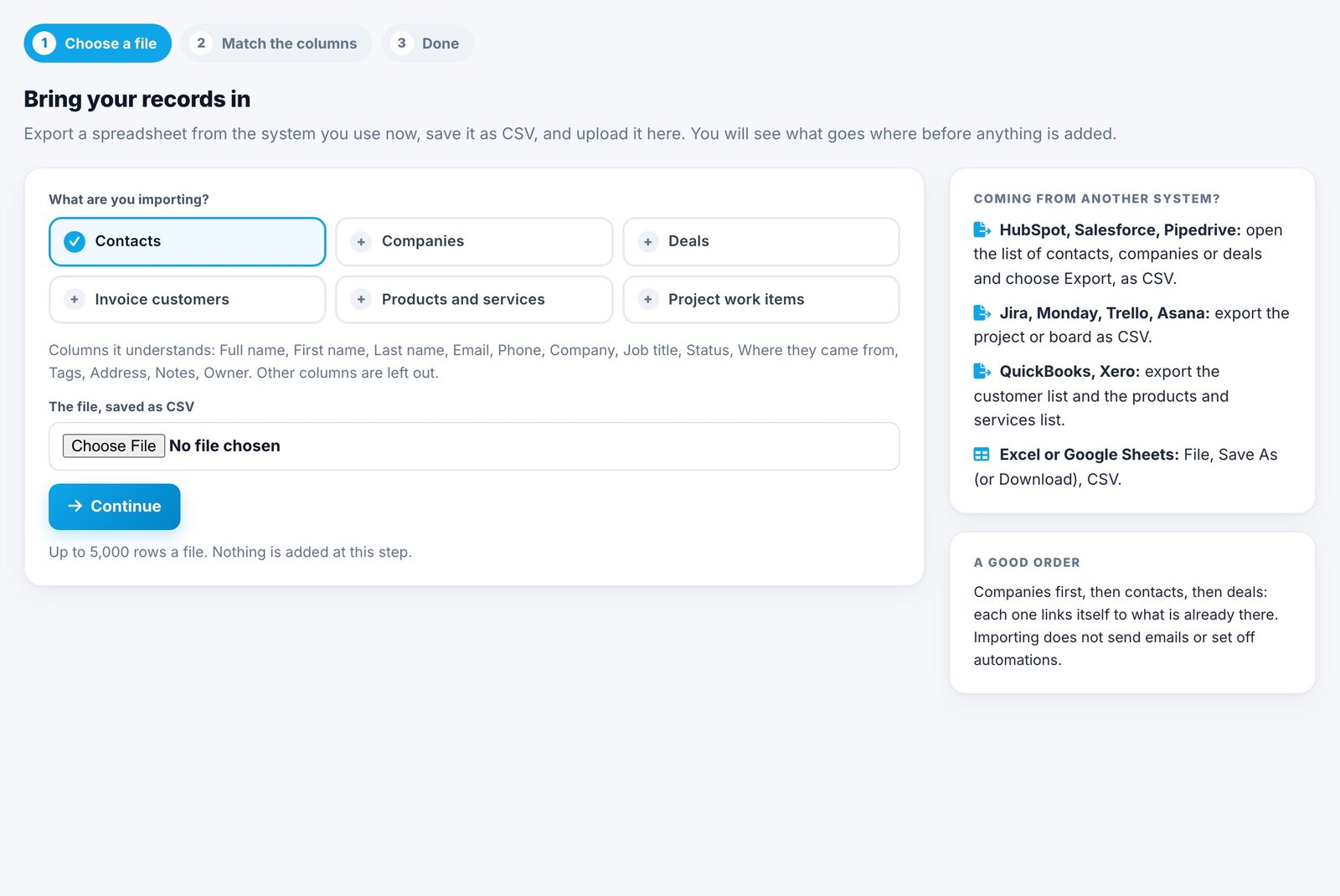
Export your spreadsheet as CSV and import it. In Spotbookr, open More, Import: choose the file, check how its columns match, and import. It recognises common headings such as "First Name", "Company Name" or "Deal Stage", shows you which columns are being left out, and tells you how many rows were added, updated or skipped, with the reason for each.
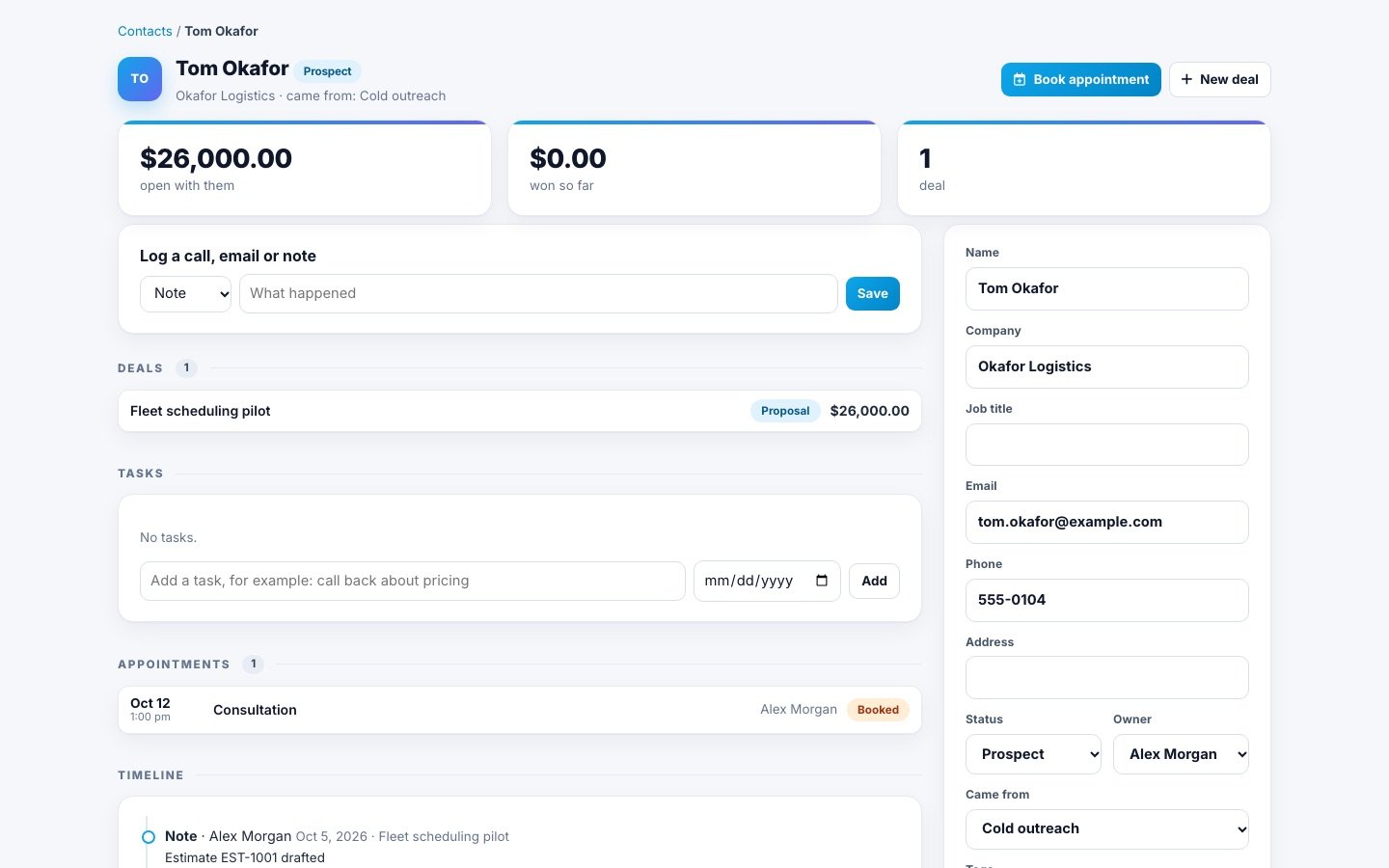
Each contact then has a status (Lead, Prospect, Customer or Inactive), an owner, tags and where they came from, with their deals, tasks and history on one page.
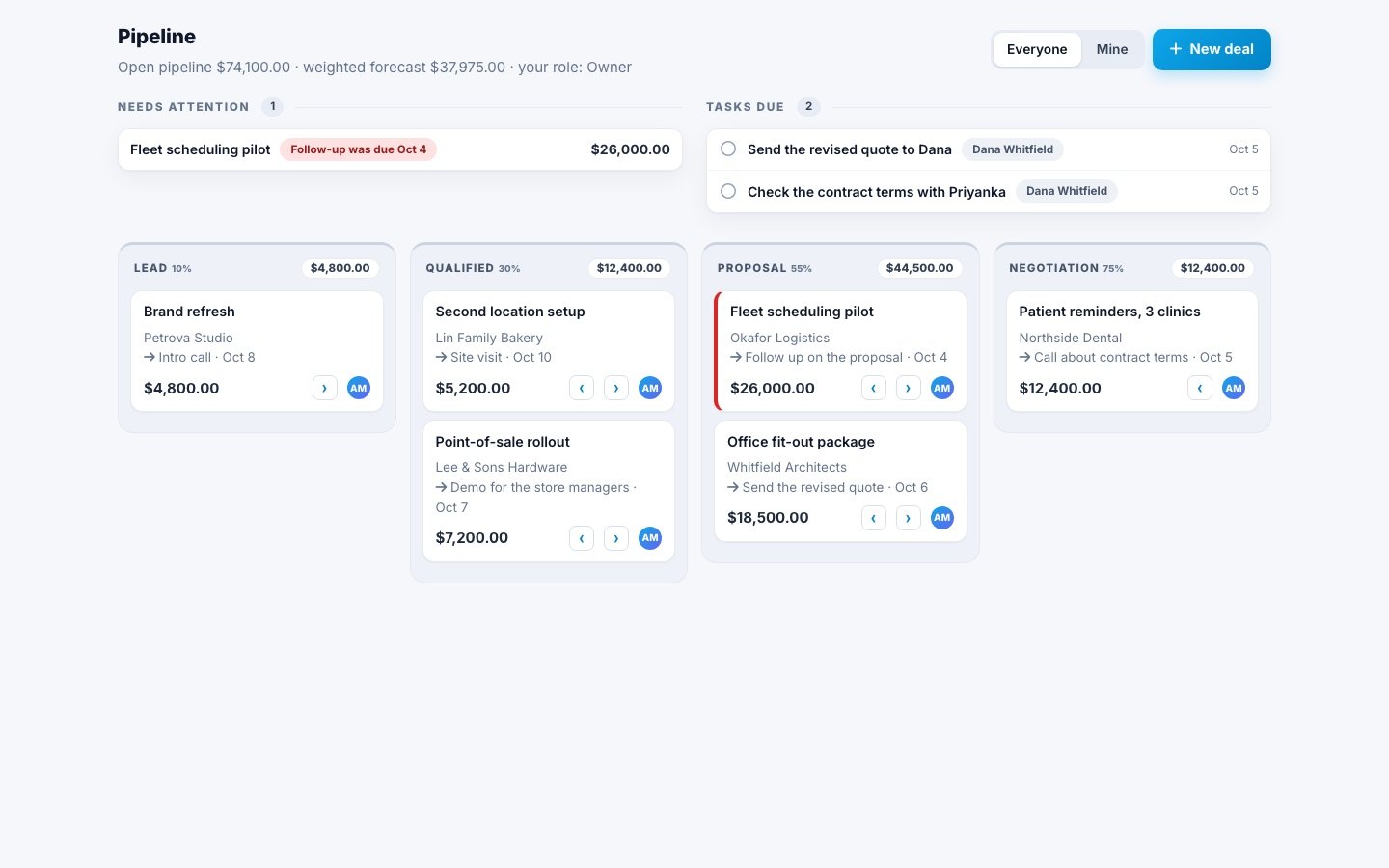
The pipeline shows every open deal by stage, so you see what needs attention today.
Related questions
Is a free CRM good enough for a small business?
Often, yes, for tracking contacts and deals. Check whether it connects to how you book, quote and invoice. Retyping customers into several tools is where small businesses lose the most time.
How many contacts before I need a CRM?
There is no fixed number. The trigger is missed follow-ups or more than one person sharing the list, which can happen at 30 customers or 300.
Can I keep using my spreadsheet alongside a CRM?
You can export from the CRM whenever you need a spreadsheet. Keeping both up to date by hand is what causes the two-versions problem, so pick one place to enter things.
What should I track in a CRM first?
Contacts, where they came from, open deals with their value and next step, and follow-up tasks with dates. Everything else can wait.
How long does it take to set up a CRM?
For a small business with a clean spreadsheet, an afternoon: import contacts, set your deal stages, and add your open deals. Getting into the habit of logging calls takes a couple of weeks.
Can a CRM replace my email?
No, but it should hold the important parts of conversations: notes of calls and emails, and the next step, so anyone can pick up where you left off.
Is my data safe in a CRM?
Choose one that keeps each company's data separate, lets you control who sees what, and lets you export everything whenever you want.
More in the Help Center: Move your records over from another system and Contacts and companies. You can also try Spotbookr with sample data.