
Signing a document should be the easiest part of doing business. In practice it is often the most awkward. A contract arrives as a PDF. The options are to print it, sign it, scan it and send it back, or to upload it to a signing service that wants an account, a subscription, or a copy of the document on its servers.
That last point deserves more attention than it usually gets. The documents people sign are among the most sensitive they handle: employment offers, leases, loan paperwork, agreements with customers. Most online signing tools work by uploading the file to the provider. The person signing rarely knows where the copy goes or how long it is kept.
Today, Spotbookr is introducing Free Document Signing, the first of a new set of free tools on spotbookr.com. It lets anyone open a PDF, sign it, and download or print the result. There is no charge, no account, no trial and no watermark. And the document is never uploaded.
How it works
Signing takes about two minutes.
- Confirm your email. Enter your email address and type in the six-digit code we send you. This is what ties the signature to you.
- Open your document. Choose a PDF, or a photo of a paper page. It opens in your browser.
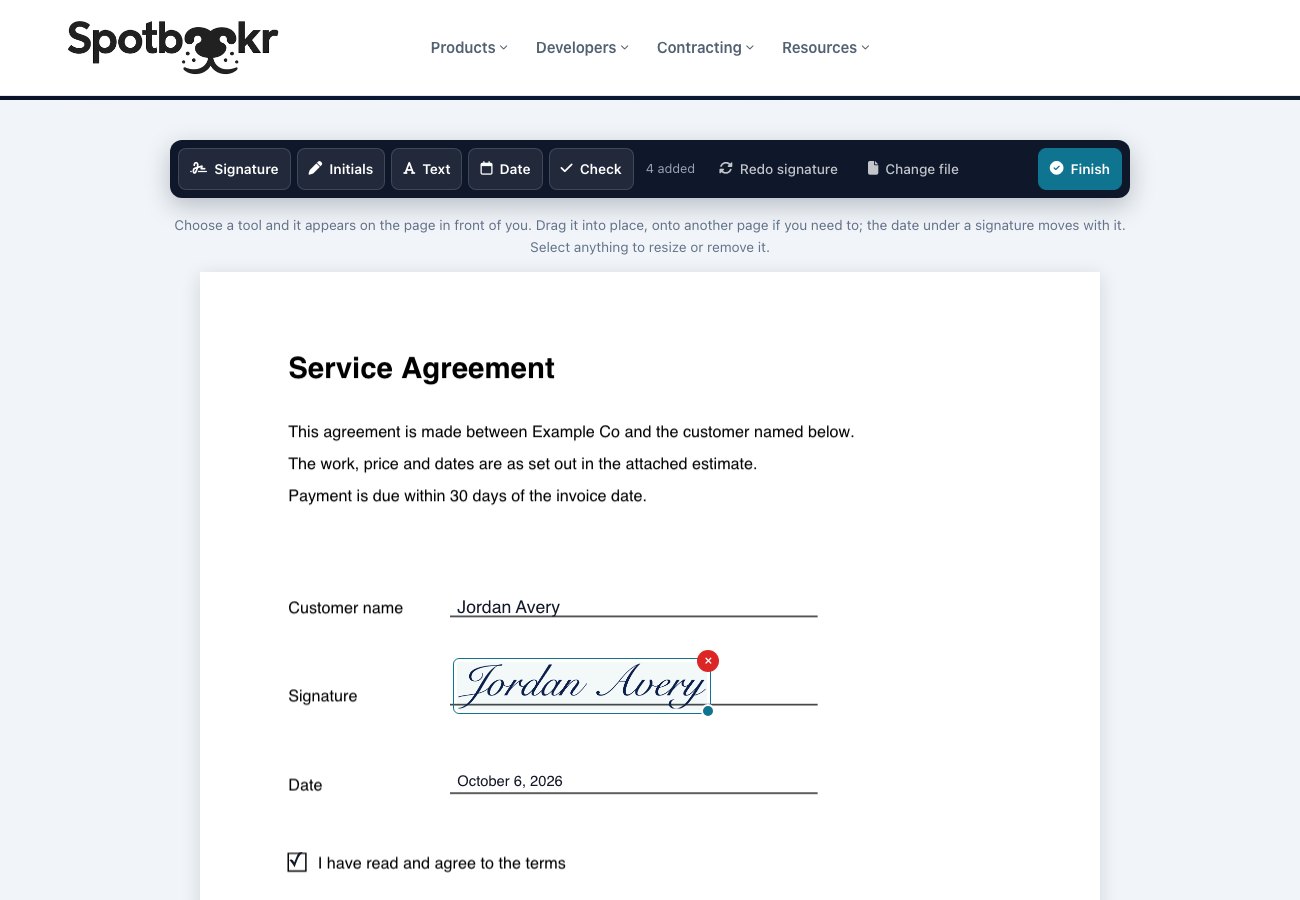
- Sign and fill it in. Draw your signature with a finger or mouse, or type it. Add initials, type into any blank, tick boxes, and add today's date. Everything can be dragged into place, onto any page.
- Finish. Type your full name, confirm that you intend to sign, and download or print the finished PDF.
It works on a phone as well as on a computer.
Private by design
The tool runs entirely in your web browser. Your document is opened, signed and saved by your own device. It is not sent to Spotbookr or to anyone else, which also means we could not read it even if we wanted to.
What we do receive is small and specific: your confirmed email address, the name you sign with, the time, and a fingerprint of the file. A fingerprint is a code calculated from the document that identifies it without revealing a word of what is in it, and it cannot be turned back into the document.
A signing certificate with every document
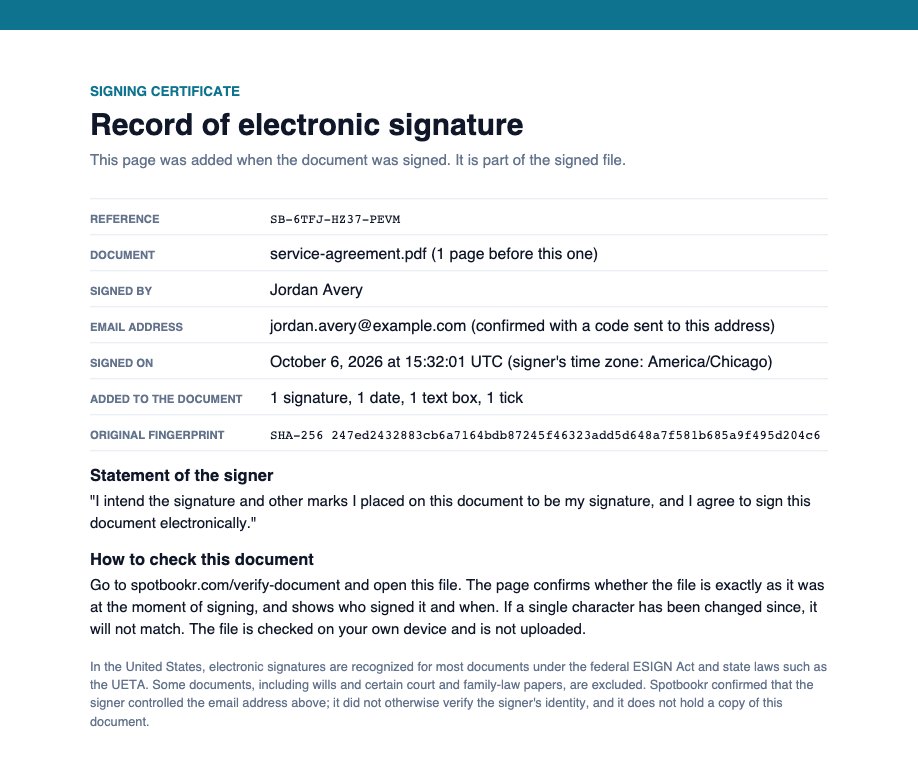
When you finish, a certificate page is added to the end of the PDF. It records who signed, the email address they confirmed, the date and time, a reference number, and the statement of intent the signer agreed to.
Anyone can verify it
A signature is only useful if the person receiving it can trust it. So alongside the signing tool we are launching Verify a Document.
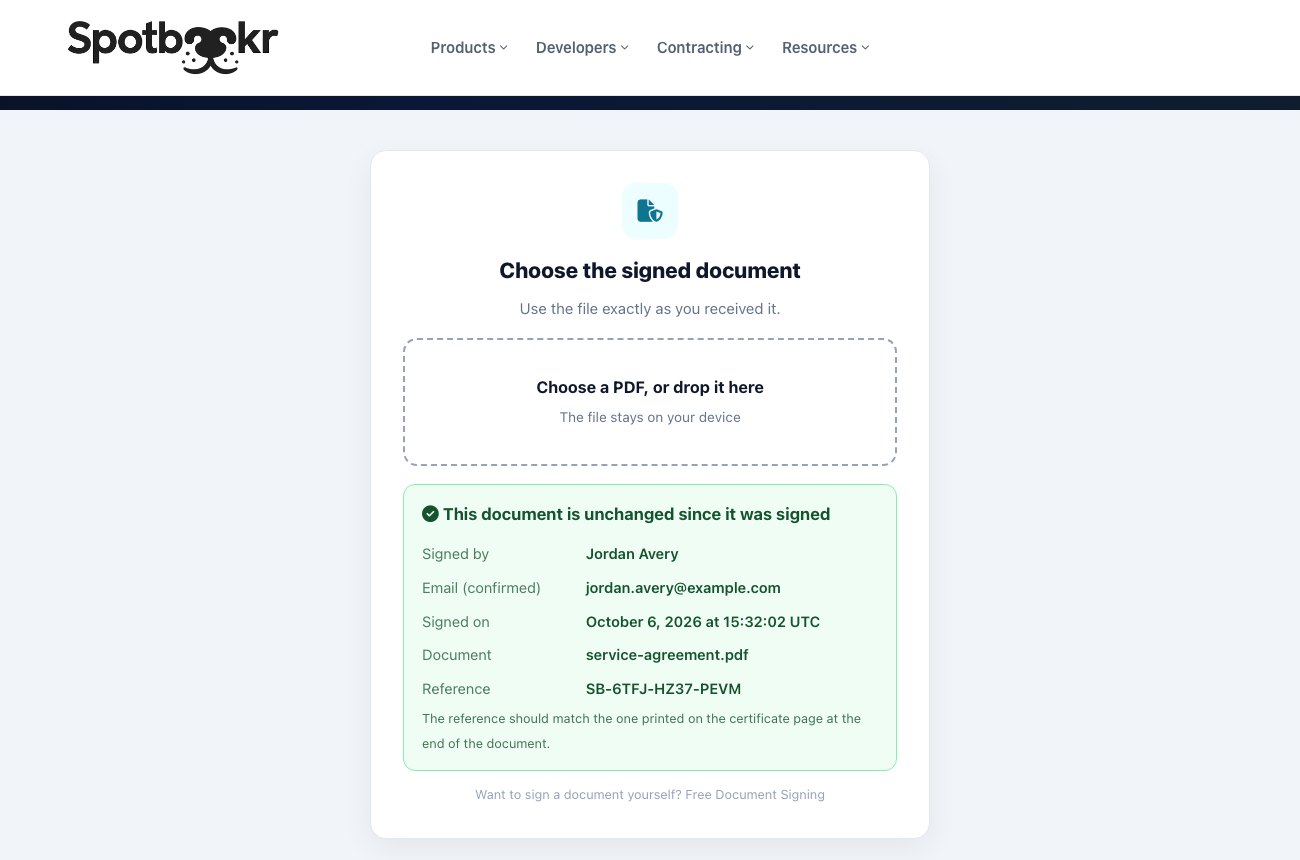
Anyone holding a signed file can open it at spotbookr.com/verify-document. The page confirms whether the file is exactly as it was at the moment of signing, and shows who signed it and when. If a single character has been changed since, it will not match. The check is made on the visitor's own device, so their copy is not uploaded either.
Is it legal?
For most documents, yes. In the United States, the federal ESIGN Act and state laws such as the Uniform Electronic Transactions Act provide that a signature cannot be refused legal effect just because it is electronic. No notary is needed for ordinary agreements.
Two things matter: that the person meant to sign, which is why the tool asks you to confirm that before finishing, and that the signature can be tied to the signer and to the document, which is what the certificate and the verification page are for.
Some documents are excluded by law and need other formalities, including wills, certain family-law and court papers, and some official notices. Other countries have their own rules. We confirm that the signer controls their email address, but we do not otherwise check identity, and this is not legal advice. If a document is important, ask whoever is receiving it what they accept.
Why it is free
Spotbookr builds software for businesses. The same signing technology is built into Spotbookr Business, where customers sign the estimates they accept and teams keep signed documents with their projects. Free Document Signing is a way for more people to discover what we make. We ask for an email address, and we may tell you about our products; every such email has an unsubscribe link. That is the whole exchange.
More free tools will follow.
Free Document Signing is available now at spotbookr.com/free-document-signing.