
Security Update: Two-Step Sign-In With an Authenticator App
Spotbookr Business now supports two-step sign-in with an authenticator app. It is free on every plan, it takes about two minutes to set up, and we strongly recommend it.
Why it matters
Your Spotbookr account holds your customers, your pipeline, your projects and your invoices. A password on its own is not enough protection for that. Passwords are reused, guessed and stolen.
Until now, every sign-in has been confirmed with a code sent to your email. That is a good second step, but it is only as safe as your mailbox. With an authenticator app, the second step is a code that exists only on your phone. A stolen password, or even a hacked email account, is not enough to get in.
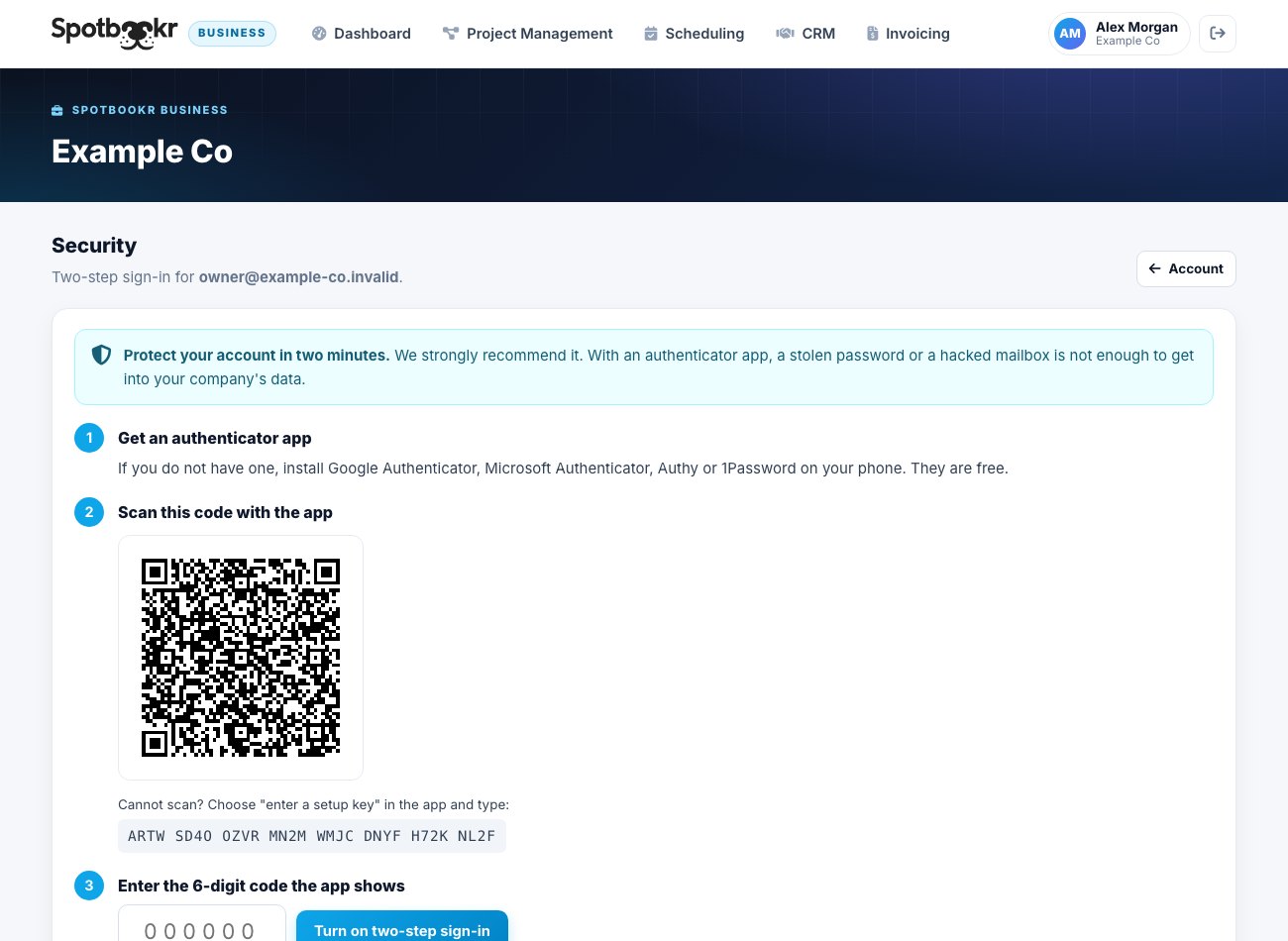
How to turn it on
- Open Account, then Security.
- Scan the QR code with an authenticator app. Google Authenticator, Microsoft Authenticator, Authy and 1Password all work, and all are free.
- Enter the 6-digit code the app shows.
That is all. From then on, signing in asks for your password and the current code from the app.
Backup codes
When you turn it on, you are given ten backup codes. Each one signs you in once if you do not have your phone with you. Print them or keep them somewhere safe. You can make a new set at any time.
For account owners
- See who is protected. The Security page shows which people on your team have two-step sign-in turned on.
- Require it for everyone. One setting makes it mandatory for your whole company. Anyone without it is asked to set it up the next time they open Spotbookr.
- Help someone who lost their phone. An owner can reset two-step sign-in for a team member, who then sets it up again on their new phone.
Good to know
- You will be invited to set it up after you sign in. You can skip it, and we will remind you again in 30 days.
- Whenever two-step sign-in is turned on, turned off or reset, the person is told by email.
- The secret that links your app to your account is stored encrypted.
Available now
Two-step sign-in is live for every Spotbookr Business account. If you only do one thing for your account's security this month, make it this.